
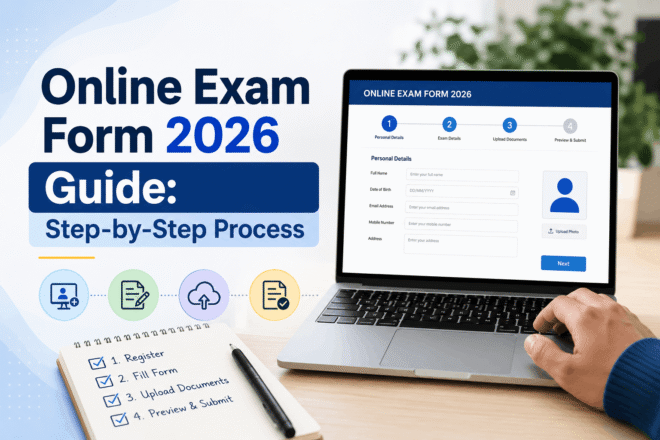
Filling out an online exam form in 2026 has become fully digital, but many students still make critical mistakes that lead to rejection. As of May 6, 2026 (IST), most exam authorities have started releasing application forms online. This guide explains the complete step-by-step process, required documents, common errors, and what to do after submission to ensure your form gets accepted without issues.
To fill out an online exam form 2026, register on the official website, enter personal and academic details, upload documents, pay fees, and submit. Double-check all entries to avoid rejection. Use correction windows if needed and keep confirmation proof.
Steps to Fill Online Exam Form 2026:
- Visit the official website
- Register with email/mobile
- Fill in personal details
- Enter academic information
- Upload photo & signature
- Pay the application fee
- Review the form carefully
- Submit and download confirmation
📘 Overview
Online exam forms are mandatory for all board exams, entrance tests, and recruitment exams in India. Authorities now use digital platforms to streamline the application process, reduce errors, and ensure transparency.
🔥 Latest Update (2026)
✔ Most exams now require Aadhaar-based verification
✔ Photo upload rules are stricter
✔ AI-based validation rejects incorrect forms
✔ Faster correction windows (2–3 days only)
🌐 Official Website Section
👉 Always fill out forms only on the official exam website
👉 Avoid third-party portals to prevent fraud
✔ Important Note: Bookmark the official page
🧾 Step-by-Step Guide to Fill Online Exam Form
Step 1: Registration
- Enter email & mobile number
- Create password
Step 2: Personal Details
- Name (as per documents)
- DOB
- Address
Step 3: Academic Details
- Marks
- Board/university
- Year of passing
Step 4: Upload Documents
- Passport-size photo
- Signature
- ID proof
Step 5: Pay Fees
- UPI / Debit Card / Net Banking
Step 6: Final Review
- Check spelling mistakes
- Verify numbers
Step 7: Submit Form
- Download a PDF copy
📄 Details Mentioned in Form
- Candidate Name
- Roll Number (generated later)
- Category
- Exam Center Preference
- Contact Details
🎯 What To Do After Form Submission
✔ Download confirmation page
✔ Prepare for the exam syllabus
✔ Track admit card updates
✔ Join mock tests
⚠️ Common Student Problems + Solutions
❌ Problem: Photo upload rejected
✔ Solution: Use the correct size & format
❌ Problem: Payment failed
✔ Solution: Retry or check bank status
❌ Problem: Wrong details filled
✔ Solution: Use a correction window
💡 Expert Tips
✔ Fill the form early to avoid server crash
✔ Use a laptop instead of a mobile
✔ Keep documents ready beforehand
✔ Avoid last-day submission
⚠️ Important Notes
✔ Double-check spelling
✔ Use an active mobile number
✔ Save login credentials
🚫 Common Mistakes
- Wrong DOB
- Incorrect photo format
- Ignoring instructions
- Late submission
🔥 Pro Tips
✔ Read the official notification fully
✔ Practice mock form filling
✔ Take screenshots
FAQs:
1. Can I edit my exam form after submission?
Yes, during the correction window.
2. What documents are required?
Photo, signature, ID proof, and academic records.
3. What if I miss the last date?
You may miss the exam entirely.
4. How to check the form status?
Log in to the official portal.
5. Is mobile form filling safe?
Yes, but a desktop is recommended.
6. What is the correction fee?
Varies by exam authority.
7. Can I change the exam center?
Only during the correction window.
8. Why is my form rejected?
Incorrect details or invalid documents.
9. When will the admit card be released?
Usually 2–3 weeks before the exam.
10. What’s next after the exam?
Wait for the result, cutoff, and counseling.
If you found this guide helpful, bookmark it and check back regularly for exam updates, results, cutoffs, and career guidance.

Education Content Writer | Exam Updates Specialist
Kiran has 3+ years of experience covering university results, sarkari naukri updates, and student guides. He ensures all information is verified from official sources.